 4c91c48710 * feat(ci): rootless CI 26.04 runners use sudo-rs, which does not support this flag. It doesn't seem to have broken too much, Only thing I could see is the github token not being passed to the build. ``` sudo: preserving the entire environment is not supported, '-E' is ignored ``` So this is a good time to move over to a rootless CI I guess. * chore: unset target-dir for container-storage-action This defaults to the user container storage |
||
|---|---|---|
| .github | ||
| build_files | ||
| system_files/shared | ||
| .devcontainer.json | ||
| .gitattributes | ||
| .gitignore | ||
| .pre-commit-config.yaml | ||
| artifacthub-repo.yml | ||
| Containerfile.in | ||
| CONTRIBUTING.md | ||
| cosign.pub | ||
| image-versions.yml | ||
| Justfile | ||
| LICENSE | ||
| quay.io-fedora-ostree-desktops.pub | ||
| README.md | ||
Aurora




Aurora is a delightful KDE desktop experience for end-users that are looking for reliability and developers for the most-hassle free setup. Zero maintenance included.
Documentation
- Discussions and Announcements - strongly recommended!
- Documentation
- Contributing Guide
- Local Building Guide
The system_files, flatpak and logos directory have been moved to here.
Secure Boot
Secure Boot is supported by default on our systems, providing an additional layer of security. After the first installation, you will be prompted to enroll the secure boot key in the BIOS.
Enter the password universalblue
when prompted to enroll our key.
If this step is not completed during the initial setup, you can manually enroll the key by running the following command in the terminal:
ujust enroll-secure-boot-key
Secure boot is supported with our custom key. The pub key can be found in the root of the akmods repository here. If you'd like to enroll this key prior to installation or rebase, download the key and run the following:
sudo mokutil --timeout -1
sudo mokutil --import public_key.der
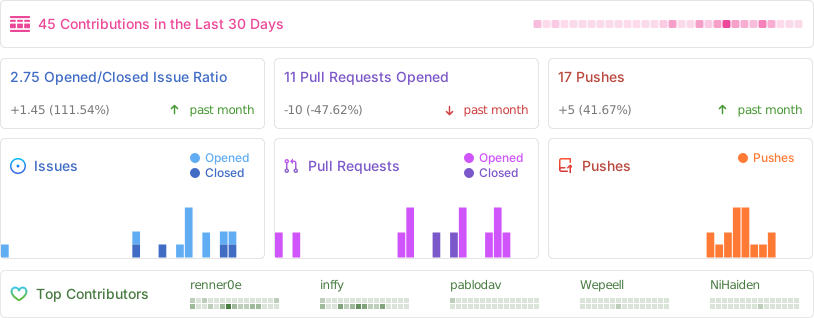
Repobeats