 1a4be9911d * chore: cleanup systemd services, move to presets Preset files are cooler [1] and we should be able to get rid of a little bit of complexity on the ISOs as we simply delete the preset file to undo things we don't want to have on the ISO (uupd, tailscale ...) instead of playing catch-up with the image [2]. Also we don't need to enable the *service* of rpm-ostree-countme, we want to have the *timer* enabled, which is already done by default in Fedora. The rpm-ostreed-automatic.timer is a leftover from ublue-os/main days as we enable that for those images but disable it here as we use uupd. The Bazaar service got deleted and the need for that got completely eliminated upstream recently. [1] https://www.freedesktop.org/software/systemd/man/latest/systemd.preset.html [2] https://github.com/get-aurora-dev/iso/issues/100 * chore: also do DX * sunshine we should make this a seperate thing as we want to still have this disabled on the live iso * deal with homebrew nonsense * prefix with 89 so they can be overriden by others via preset files but still have more priority over Fedora ones * split fedora flatpak related services so we can more easily keep this configuration active |
||
|---|---|---|
| .github | ||
| build_files | ||
| build_scripts | ||
| system_files | ||
| .devcontainer.json | ||
| .gitattributes | ||
| .gitignore | ||
| .pre-commit-config.yaml | ||
| artifacthub-repo.yml | ||
| Containerfile.in | ||
| CONTRIBUTING.md | ||
| cosign.pub | ||
| image-versions.yml | ||
| Justfile | ||
| LICENSE | ||
| quay.io-fedora-ostree-desktops.pub | ||
| README.md | ||
Aurora




Aurora is a delightful KDE desktop experience for end-users that are looking for reliability and developers for the most-hassle free setup. Zero maintenance included.
Documentation
- Discussions and Announcements - strongly recommended!
- Documentation
- Contributing Guide
- Local Building Guide
The system_files, flatpak and logos directory have been moved to here.
Secure Boot
Secure Boot is supported by default on our systems, providing an additional layer of security. After the first installation, you will be prompted to enroll the secure boot key in the BIOS.
Enter the password universalblue
when prompted to enroll our key.
If this step is not completed during the initial setup, you can manually enroll the key by running the following command in the terminal:
ujust enroll-secure-boot-key
Secure boot is supported with our custom key. The pub key can be found in the root of the akmods repository here. If you'd like to enroll this key prior to installation or rebase, download the key and run the following:
sudo mokutil --timeout -1
sudo mokutil --import public_key.der
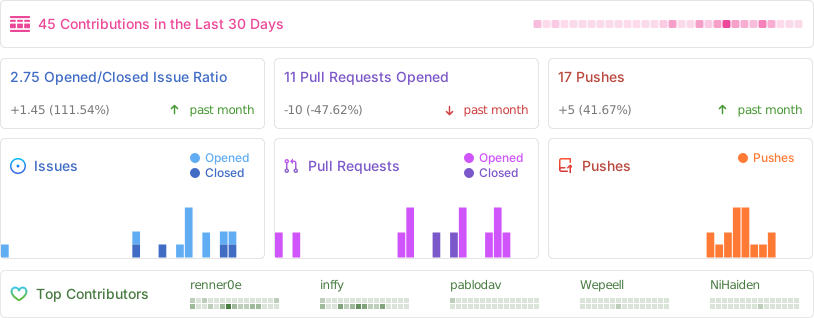
Repobeats