- For developers we endeavour to provide the best cloud-native developer experience by enabling easy consumption of the [industry's leading tools](https://landscape.cncf.io/card-mode?sort=stars). These are included in dedicated `bluefin-dx` and `bluefin-dx-nvidia` images
1. After you reboot you should [pin the working deployment](https://docs.fedoraproject.org/en-US/fedora-silverblue/faq/#_about_using_silverblue) so you can safely rollback.
Check the [Silverblue documentation](https://docs.fedoraproject.org/en-US/fedora-silverblue/) for instructions on how to use rpm-ostree.
We build date tags as well, so if you want to rebase to a particular day's release you can use the version number and date to boot off of that specific image:
System updates are image-based and automatic. Applications are logically seperated from the system by using Flatpaks, and the CLI experience is contained within OCI containers:
Dedicated developer image with bundled tools. It endevaours to be the world's most powerful cloud native developer environment. :) It includes everything in the base image plus:
- [VSCode](https://code.visualstudio.com/) and related tools
- [virt-manager](https://virt-manager.org/) and associated tooling
- [Cockpit](https://cockpit-project.org/) for local and remote management
- Podman and Docker extras
- Automatically aliases the `docker` command to `podman`
- podman.socket on by default so existing tools expecting a docker socket work out of the box
- LXC and LXD
- A collection of well curated monospace fonts
- hashicorp repo included and enabled
- None of them installed by default, but you can just add them to the Containerfile as you need them
-`Ctrl`-`Alt`-`u` - will launch an Ubuntu image inside a terminal via [Distrobox](https://github.com/89luca89/distrobox), your home directory will be transparently mounted
- A [BlackBox terminal](https://www.omgubuntu.co.uk/2022/07/blackbox-gtk4-terminal-emulator-for-gnome) is used just for this configuration
- Optional [ubuntu-toolbox image](https://github.com/ublue-os/bluefin/pkgs/container/ubuntu-toolbox) with Python, and other convenience development tools. `just distrobox-bluefin` to get started. To configure `just` follow the [guide](https://ublue.it/guide/just/).
- Optional [universal image](https://mcr.microsoft.com/en-us/product/devcontainers/universal/about) with Python, Node.js, JavaScript, TypeScript, C++, Java, C#, F#, .NET Core, PHP, Go, Ruby, and and Conda. `just distrobox-universal` to get started
- [Just](https://github.com/casey/just) task runner for post-install automation tasks. Check out [our documentation](https://universal-blue.org/guide/just/) for more information on using and customizing just.
-`fish` and `zsh` available as optional shells, use `just fish` or `just zsh` and follow the prompts to configure them
Bluefin is available as an image for the Framework 13 laptop that comes preconfigured with tlp and the [recommended power settings](https://github.com/ublue-os/bluefin/blob/main/framework/etc/tlp.d/50-framework.conf) from the [Framework Knowledge Base](https://knowledgebase.frame.work/en_us/optimizing-fedora-battery-life-r1baXZh)
Note that the default image works fine on the Framework 13, this image provides tweaks and further improvements. Additionally if you have power profiles that you think would be useful for the community please send a pull request!
The authors recommend the following extensions if you'd like to round out your experience. Use the included "Extensions Manager" application to search for these extensions, everything you need to get them to run is already included:
These images are signed with sigstore's [cosign](https://docs.sigstore.dev/cosign/overview/). You can verify the signature by downloading the `cosign.pub` key from this repo and running the following command:
If you prefer a vanilla GNOME installation check out [silverblue-main](https://github.com/ublue-os/main) or [silverblue-nvidia](https://github.com/ublue-os/nvidia) for a more upstream experience.
> This is all hosted, built, and pushed on GitHub. As far as if I'm a trustable fellow, here's my [bio](https://www.ypsidanger.com/about/). If you've made it this far then hopefully you've come to the conclusion on how easy it would be to build all of this on your own trusted machinery. :smile:
[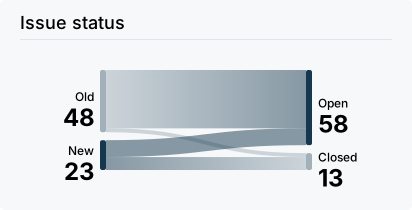](https://github.com/ublue-os/bluefin/issues)
[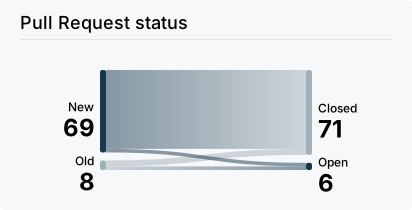](https://github.com/ublue-os/bluefin/pulls)
